
Imagine discovering that your PCB design files are incomplete just as you’re about to submit them to a manufacturer. This can be a nightmare scenario, potentially causing costly delays and compromising the quality of your final product. Incomplete BOM or Gerber file sets can bring production to a grinding halt.
At our company, we understand the frustration that comes with such file issues. That’s why we’ve created this comprehensive guide to help you identify and resolve these common problems. Our expertise in PCB design and manufacturing processes allows us to provide you with practical, actionable advice.
We’ll explore the various components of PCB file formats, common causes of incompleteness, and step-by-step solutions to get your project back on track. Whether you’re dealing with missing layer information or BOM inaccuracies, we’ll equip you with the knowledge and tools needed to fix these issues efficiently.
Key Takeaways
- Understand the importance of complete PCB design files for manufacturing.
- Learn how to identify common issues with Gerber files and BOM.
- Discover step-by-step solutions to resolve file incompleteness.
- Gain insights into best practices for PCB design and file preparation.
- Improve your PCB manufacturing process with our expert advice.
Understanding PCB File Formats and Their Importance
Understanding the intricacies of PCB file formats is crucial for successful manufacturing. The PCB design process involves multiple stages, and until the desired result is achieved, several improvisations are made. These can lead to disparities in the design files and delays in production. Therefore, before submitting the board designs, it’s essential to revisit the improvisations, fabrication drawings, assembly drawings, and other design components to ensure that all design files match.
What Are Gerber Files and Their Role in PCB Manufacturing
Gerber files are a standard file format used in PCB manufacturing. They contain the necessary information for fabricating PCBs, including copper layers, solder masks, and silkscreen information. Gerber files are critical because they provide the manufacturing team with the data needed to produce the PCB accurately.
The Critical Components of a Complete BOM
A Bill of Materials (BOM) is more than just a list of parts; it’s a comprehensive document that bridges the design intent with the physical components required for assembly. A complete BOM must include precise part numbers, quantities, reference designators, component values, package types, and manufacturer information for each component.
| BOM Component | Description | Importance |
|---|---|---|
| Part Numbers | Unique identifiers for components | Ensures correct component procurement |
| Quantities | The number of components required | Prevents over or under procurement |
| Reference Designators | Identifiers for component placement | Guides accurate assembly |
By understanding the importance of Gerber files and the components of a complete BOM, designers and manufacturers can work together more effectively to produce high-quality PCBs. Ensuring that these files are accurate and complete is crucial for preventing manufacturing delays and ensuring that the final product meets the design specifications.
Common Causes of Incomplete File Sets
Ensuring the completeness and accuracy of file sets is vital for successful PCB manufacturing, as it directly impacts the final product’s quality. A manufacturer needs to know every specification associated with a circuit board, ranging from the size of plated-through holes, layer information, dimensions of the board, and so on. In case some information is missed out, it would result in a mismatch with the desired specifications.
Software Export Errors and Settings Issues
One of the primary causes of incomplete file sets is software export errors and settings issues. When design teams export Gerber files or BOMs, incorrect settings or software glitches can lead to missing or corrupted data. For instance, if the layer stack-up is not properly configured during export, critical layer information might be omitted, causing fabrication issues down the line. Ensuring that the design team is well-versed in the export process and double-checks the files before sending them to manufacturing can mitigate this risk.
To illustrate the common software export errors, consider the following table:
| Error Type | Description | Impact on Manufacturing |
|---|---|---|
| Incorrect Layer Stack-up | Layers not properly configured during export | Missing critical layer information |
| File Format Incompatibility | Files exported in incompatible formats | Files cannot be read by manufacturing software |
| Missing Drill Data | Drill files not included or corrupted | Inability to fabricate holes correctly |
Communication Gaps Between Design and Manufacturing Teams
Another significant cause of incomplete file sets is the communication gap between design and manufacturing teams. The transition from design to manufacturing often involves multiple teams with different technical vocabularies and priorities, creating opportunities for critical information to be lost or misinterpreted. We’ve observed that manufacturing requirements are frequently not communicated clearly to design teams upfront, resulting in file sets that meet design standards but fail to satisfy fabrication constraints.
To address this, establishing clear communication channels and standardized handoff procedures between design and manufacturing teams is essential. This includes ensuring that all stakeholders have access to the most current and accurate information. Regular cross-functional meetings and collaborative project management tools can help bridge the gap between teams, reducing the likelihood of file incompleteness.
Identifying Issues in Your Gerber File Set
To avoid manufacturing delays, it’s essential to thoroughly inspect Gerber files for any signs of errors or incompleteness. Gerber files are the backbone of PCB manufacturing, containing critical information about the design and layout of the board. We will explore how to use Gerber viewers to detect problems and identify key warning signs of incomplete Gerber files.
Using Gerber Viewers to Detect Problems
Gerber viewers are specialized software tools designed to open, view, and analyze Gerber files. These viewers help us identify potential issues in the Gerber file set, such as missing layers, incorrect apertures, or inconsistent naming conventions. By using a Gerber viewer, we can compare the exported Gerber files against the original design to ensure accuracy and completeness.
Some of the best Gerber viewer software includes tools that can highlight design mismatches, insufficient clearances, and obsolete file formats. When selecting a Gerber viewer, we should look for features that allow us to inspect the files thoroughly, such as layer comparison and error detection.
Key Warning Signs of Incomplete Gerber Files
There are several key warning signs that indicate incomplete or erroneous Gerber files. These include:
- Missing Board Outlines: One of the most immediate red flags is the absence of a clearly defined board outline, which is crucial for determining the physical boundaries of the PCB design.
- Lack of Critical Layers: Incomplete file sets often lack critical layers such as solder mask, silkscreen, or copper layers, which can be identified by comparing the export list against a standard layer checklist.
- Inconsistent Naming Conventions: Disorganization in the export process is often indicated by inconsistent naming conventions across Gerber files, correlating with missing or incomplete data.
- Aperture Definition Issues: Missing or incorrect aperture definitions can cause Gerber viewers to display pads and traces with incorrect sizes or shapes, signaling potential manufacturing issues.
- File Size Discrepancies: Significant differences in file size between similar layers, such as top and bottom copper, often indicate missing data or errors in one of the layers.
By being aware of these warning signs and using Gerber viewers to inspect our files, we can identify and address issues early on, ensuring a smoother PCB manufacturing process.
How to Fix an Incomplete BOM or Gerber File Set
Repairing incomplete design files requires a systematic approach and the right software tools. When dealing with Gerber files or a Bill of Materials (BOM), it’s crucial to identify and fix issues promptly to avoid delays in your PCB manufacturing process.
Step-by-Step Troubleshooting Process
To troubleshoot your Gerber files or BOM effectively, follow these steps:
- Load your Gerber files into a Gerber viewer to visually inspect for any missing or misaligned layers.
- Use a DFM software tool to check for parameters such as trace-to-trace gap, trace width, and silkscreen overlapping pads.
- Validate your BOM against manufacturer databases to identify obsolete parts and ensure all necessary specification fields are completed.
Tools and Resources for File Repair
Several tools and resources are available to help you repair and validate your Gerber files and BOM:
- Specialized Gerber repair tools can recover corrupted files or fix common issues like missing aperture definitions or layer misalignment.
- DFM software can automatically identify and sometimes correct issues in Gerber files before they reach production.
- BOM validation tools can cross-reference your component list against manufacturer databases.
- File format conversion utilities can transform files between different Gerber versions or alternative formats like ODB++.
- Cloud-based collaboration platforms provide real-time feedback on file issues and facilitate direct communication with manufacturers.
- PCB design service providers can quickly identify and resolve complex file issues.
By following a systematic troubleshooting process and leveraging the right tools and resources, you can efficiently fix an incomplete BOM or Gerber file set and ensure a smooth PCB manufacturing process.
Resolving Missing Layer Information
When dealing with PCB manufacturing, one of the most critical issues to address is missing layer information in Gerber files. At times, composite layer images are created during the generation of an individual layer based on the design specifications. In these cases, it is vital to combine the images in such a way that one Gerber file is mapped to one single layer to avoid errors.
Identifying and Adding Missing Copper Layers
Copper layers are fundamental to the functionality of a PCB. Missing copper layers can lead to significant issues, including incomplete circuits and manufacturing delays. To identify missing copper layers, we recommend using Gerber viewers to inspect your files. By overlaying different layers, you can detect any discrepancies or omissions.
Fixing Solder Mask and Silkscreen Layer Issues
Solder mask and silkscreen layers may seem less critical than copper layers, but their absence or inaccuracy can lead to significant assembly problems and aesthetic issues in the finished product. Common issues include solder mask layers missing openings for pads or having incorrect clearances, and silkscreen layers containing text or component identifiers that extend beyond the board outline or overlap with pads. To fix these issues, make sure to maintain proper registration with the underlying copper layers. This ensures that solder mask openings align perfectly with pads and that silkscreen elements are positioned correctly relative to components.
For complex boards with fine-pitch components, pay special attention to the solder mask clearances around small pads, as insufficient clearance can lead to soldering difficulties during assembly. By carefully reviewing and adjusting these layers, you can ensure a smooth manufacturing process and a high-quality final product.
Correcting Drill File Problems
Correcting drill file problems is a critical step in ensuring the accuracy and reliability of PCBs, particularly in complex multilayer designs. Drill files are essential for defining the locations and sizes of holes in a PCB, which are crucial for component mounting and via connections.
Common Drill File Errors and Their Solutions
Drill file errors can manifest in various forms, including incorrect drill sizes, misaligned drill locations, and missing or duplicate drill data. To address these issues, we must first understand their root causes, which often stem from software export errors, design oversights, or miscommunication between design and manufacturing teams.
- Inconsistent Unit Settings: Ensure that the units used in the drill file match those used in the Gerber files to prevent scaling issues.
- Misaligned Drill Locations: Verify that the origin points and coordinate systems are consistent between drill and Gerber files.
- Missing Drill Data: Check for any omitted drill holes, particularly for vias and component leads.
Ensuring Proper Alignment Between Drill Files and Gerber Layers
Proper alignment between drill files and copper layers is critical for ensuring that holes connect to the correct pads and traces, particularly in multilayer PCBs with complex interconnections. We recommend using your Gerber viewer’s overlay capabilities to visually verify that drill locations align perfectly with pad centers and via locations across all copper layers.
To achieve accurate alignment, it’s essential to:
- Use consistent origin points and unit settings across all files.
- Verify that each drill file correctly specifies the start and end layers for each hole, especially for boards with blind or buried vias.
- Re-export all files with consistent settings rather than attempting to manually adjust individual drill coordinates.
By following these guidelines and utilizing the right tools, we can significantly reduce the occurrence of drill file problems, ensuring smoother PCB manufacturing processes.
Addressing BOM Incompleteness and Inaccuracies
Ensuring the accuracy and completeness of your BOM is a critical step in the PCB assembly process. A well-structured BOM provides the necessary information for manufacturers to assemble PCBs correctly, avoiding delays and cost overruns.
During the PCB design process, multiple stages and improvisations may lead to disparities in the design files. To prevent such issues, it’s essential to revisit fabrication drawings, assembly drawings, and other design components before submitting the board designs. This ensures that all files are matched and accurate.
Identifying Missing Components in Your BOM
A comprehensive BOM should list all components required for the PCB assembly. To identify missing parts, we recommend reviewing your BOM against your PCB design files. Check for any discrepancies in component listings and ensure that every part is accounted for.
- Verify that each component is listed with its correct specifications.
- Cross-check component listings against your PCB design to identify any missing parts.
- Ensure that your BOM includes accurate assembly instructions for complex components.
Correcting Component Specifications and Parameters
Beyond listing components, a comprehensive BOM must include accurate specifications for each part, including package types, values, tolerances, and voltage/power ratings. We find that component specification errors often occur when generic part numbers are used instead of manufacturer-specific ones, leading to ambiguity during procurement.
- Consult manufacturer datasheets to verify that the parameters in your BOM match the actual components you intend to use.
- For components with multiple variants, ensure that your BOM specifies exactly which variant is required for your application.
- Consider adding columns to your BOM for alternative parts that can be substituted in case of availability issues.
By following these steps and ensuring the accuracy and completeness of your BOM, you can significantly reduce the risk of errors during the PCB assembly process, leading to smoother production and higher quality PCBs.
Fixing Board Outline and Dimension Issues
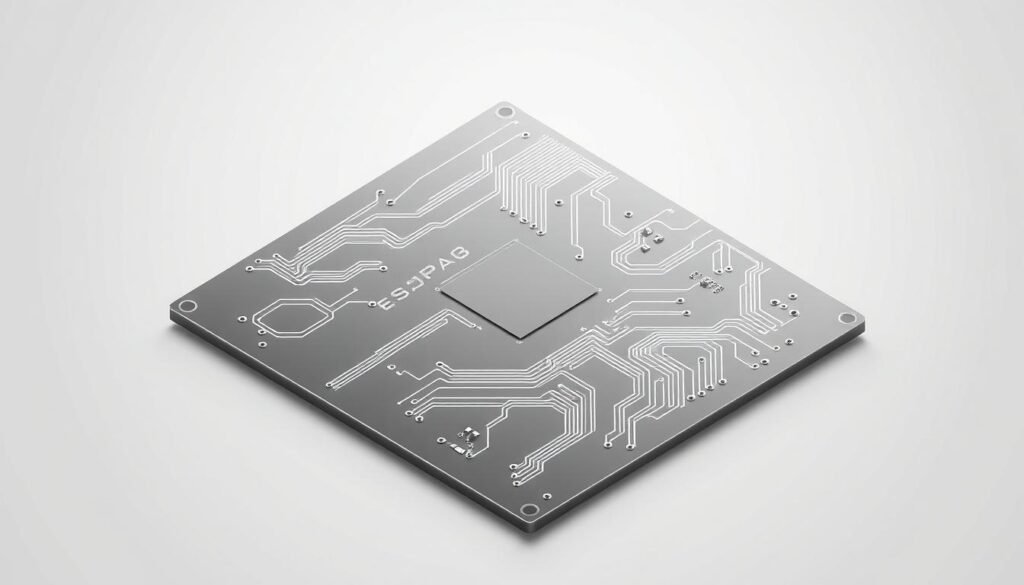
In PCB design, having precise board outlines and dimensions is fundamental to achieving compatibility with the intended enclosure and other components. A well-defined board outline ensures that your PCB will fit correctly during assembly and function as intended in its final application.
Recreating Missing Board Outlines
If your Gerber files lack a proper board outline, it may lead to confusion during the manufacturing process. We recommend providing a fabrication drawing to the manufacturer, which includes essential information about the board details that may not be present in the Gerber files. This drawing should contain the overall dimensions of the board, special cutouts, and routing instructions.
Ensuring Dimensional Accuracy in Your Files
Dimensional accuracy in your PCB files is crucial for ensuring that your board will fit correctly in its intended enclosure and that components will align properly during assembly. Common dimensional issues include unit mismatches, scaling errors during export, and rounding discrepancies. To avoid these issues, we suggest including detailed dimensioning in your fabrication drawing, specifying not just the overall board dimensions but also the location of critical features.
| Dimension Type | Description | Importance |
|---|---|---|
| Overall Dimensions | Specifies the total size of the PCB | High |
| Mounting Holes | Locations for screws or other fasteners | High |
| Critical Features | Locations of connectors, alignment features | High |
When fixing dimensional issues, it’s essential to verify that all measurements are consistent across your Gerber files, drill files, and fabrication drawings. This consistency prevents conflicting information that could confuse manufacturers and lead to fabrication errors.
Resolving File Format Compatibility Problems
File format compatibility issues can significantly hinder the PCB manufacturing process, leading to delays and increased costs. Ensuring that your design files are in the correct format is crucial for a smooth fabrication process.
Converting Between Different Gerber File Formats
When working with different PCB manufacturers, you may encounter various Gerber file format requirements. Converting between these formats can be challenging, but there are tools available to simplify the process.
We recommend using a reliable Gerber file format converter to ensure that your files are compatible with the manufacturer’s requirements. This can help prevent errors and reduce the need for rework.
Updating Obsolete File Formats to Current Standards
Obsolete file formats like RS-274D lack many features required for modern manufacturing processes and may not be accepted by contemporary fabrication facilities. We recommend updating legacy designs to current standards like RS-274X or Gerber X2, which offer improved precision, embedded aperture definitions, and better support for advanced manufacturing techniques.
- Key benefits of updating file formats:
- Improved precision and accuracy
- Better support for advanced manufacturing techniques
- Enhanced compatibility with modern fabrication facilities
When updating obsolete formats, be prepared to recreate certain design elements that may not translate directly, such as custom apertures or specialized pad shapes. Beyond Gerber updates, consider transitioning to newer industry standards like ODB++ or IPC-2581, which offer more comprehensive data integration and better support for advanced manufacturing processes.
After updating file formats, perform thorough validation to ensure that all design elements have been properly translated, paying particular attention to critical features like fine-pitch components, controlled impedance traces, and complex board shapes.
Fixing Aperture and Vectorization Issues
In the realm of PCB design, Gerber files play a vital role, but they can be plagued by aperture and vectorization errors. These issues can lead to manufacturing problems, affecting the overall quality and reliability of the PCB. We will explore how to identify and correct these problems to ensure smooth production.
Understanding and Correcting Aperture Problems
Aperture problems in Gerber files occur when the CAD software fails to properly define the aperture, leading to incorrect or missing pad definitions. This can result in manufacturing errors, as the PCB fabrication equipment relies on accurate aperture definitions to create the correct pad shapes and sizes.
To correct aperture problems, we need to revisit the design software and adjust the aperture settings. This may involve changing the aperture type or modifying the aperture size to match the required specifications. By doing so, we can ensure that the Gerber files are generated with accurate aperture definitions, reducing the likelihood of manufacturing errors.
Solutions for Vectorized Pad Errors
Vectorized pad errors occur when CAD software represents pads as collections of small line segments (vectors) rather than as single flashed apertures. This can lead to irregular pad shapes and inconsistent solder paste application. To fix this, we can adjust the export settings in our design software to use “flash” commands for pads instead of vector drawing commands.
- Adjusting the export settings to generate ‘flash pads’ instead of ‘vector pads’ can significantly reduce vectorized pad errors.
- For files that already contain vectorized pads, specialized Gerber editing tools can sometimes convert these vector collections back into proper flashed pads.
By addressing aperture and vectorization issues, we can improve the quality and reliability of our Gerber files, ensuring that our PCB manufacturing process is efficient and error-free.
Addressing Layer Registration and Alignment Problems

Ensuring that all layers in your Gerber file set are properly registered is crucial for avoiding manufacturing errors. Layer registration refers to the process of aligning multiple layers to a common reference point, ensuring that they work together seamlessly in the final PCB product.
When layers are not correctly aligned, it can lead to a range of issues, including faulty connections, component misalignment, and even complete PCB failure. Proper layer alignment is essential for ensuring the reliability and functionality of the final product.
Techniques for Proper Layer Alignment
To achieve proper layer alignment, we first need to understand the common causes of misalignment. These can include software export errors, differences in coordinate systems, or simply human error during the design process.
- Use a Gerber viewer to visually inspect your files for any obvious misalignments.
- Check that all layers are using the same coordinate system and origin points.
- Utilize specialized Gerber editing tools to adjust the coordinates of misaligned layers.
Fixing Unregistered Layers in Your File Set
Unregistered layers occur when one or more layers in your Gerber file set use different coordinate systems or origin points than the rest of the design. To fix this, we first identify the misaligned layers through visual comparison in a Gerber viewer.
For minor misalignments, we can use Gerber editing tools to adjust the coordinates. However, for significant registration issues, it’s often more reliable to re-export all layers from the design software with consistent settings.
“The key to successful layer registration is attention to detail and a thorough understanding of your design and manufacturing processes.”
After correcting registration issues, we verify the alignment of critical features across all layers, paying particular attention to via connections, component pads, and any features with tight tolerance requirements.
Validating Your Fixed File Set
Validating your fixed file set is a critical step that ensures your PCB design is ready for manufacturing. We recommend a thorough verification process to catch any remaining errors or inconsistencies.
Using DFM Tools for Verification
Design for Manufacturability (DFM) tools are essential for verifying the integrity of your Gerber files. These tools help identify potential manufacturing issues, such as clearance errors or incorrect drill sizes. By leveraging DFM tools, you can ensure that your PCB design is optimized for production.
Manual Checks and Quality Assurance Steps
While automated tools are valuable, manual inspection remains an essential part of the validation process. Here are some key steps to follow:
- Load your files into a Gerber viewer and perform a systematic layer-by-layer review, paying particular attention to critical areas like high-speed signals and complex component footprints.
- Manually cross-reference component specifications against manufacturer datasheets for critical parts to ensure they meet your performance requirements.
- Create a formal checklist for manual verification that includes confirming the presence of all required files and verifying special manufacturing notes.
- Consider having a second engineer review your files before submission to catch any issues that might have been overlooked.
By combining DFM tools with manual checks, you can ensure that your PCB design is thoroughly validated and ready for manufacturing. This rigorous validation process helps prevent costly errors and ensures a smooth production process.
Preventing Future File Set Issues
Ensuring the integrity of your PCB design files is vital, and this can be achieved by following best practices for Gerber file generation and BOM management. The PCB design process involves multiple stages, and until the desired result is achieved, several improvisations are made, which can lead to disparities in design files and delays in production. Hence, before submitting board designs, it’s essential to revisit improvisations, fabrication drawings, assembly drawings, and other design components to ensure all design files match.
Best Practices for Gerber File Generation
To generate Gerber files effectively, we must adhere to certain best practices. Standardizing the export settings for Gerber files is crucial to ensure compatibility across different manufacturing systems. We should also verify that all necessary layers are included and that the files are free from errors.
When generating Gerber files, it’s essential to:
- Use standardized export settings to ensure compatibility.
- Verify that all necessary layers are included.
- Check for errors in the files.
| Best Practice | Description |
|---|---|
| Standardized Export Settings | Ensures compatibility across different manufacturing systems. |
| Inclusion of Necessary Layers | Verifies that all required layers for manufacturing are included. |
| Error Checking | Ensures Gerber files are free from errors that could cause manufacturing issues. |
Creating Foolproof BOMs for Manufacturing
A well-structured BOM is critical for the smooth assembly and manufacturing of PCBs. We emphasize the importance of using a standardized template that includes all essential fields for manufacturing and procurement.
To create a foolproof BOM, we should:
- Utilize a standardized template with all necessary fields.
- Include manufacturer-specific part numbers to avoid ambiguity.
- Implement a formal review process that cross-references against schematics, layouts, and previous versions.
- Specify component requirements, such as moisture sensitivity or special handling needs.
- Consider using BOM management software for validation and tracking changes.
| Component | Manufacturer Part Number | Quantity | Special Requirements |
|---|---|---|---|
| Resistor 1kΩ | ABC123 | 100 | None |
| Capacitor 10μF | XYZ789 | 50 | Moisture Sensitive |
By following these best practices for Gerber file generation and BOM creation, we can significantly reduce the risk of file set issues and ensure a smoother PCB manufacturing process.
Conclusion
As we conclude this comprehensive guide, it’s clear that mastering the art of preparing complete and accurate PCB files is crucial for successful manufacturing. Throughout this article, we’ve explored the critical aspects of identifying and fixing incomplete BOM and Gerber file sets, providing practical solutions to common challenges in PCB design and manufacturing. By implementing the outlined techniques, you can significantly reduce errors and streamline your interaction with manufacturing partners, ultimately leading to faster turnaround times and more reliable electronic products.
FAQ
What is a Gerber file, and why is it crucial for PCB manufacturing?
What are the common causes of incomplete Gerber file sets?
How can I detect problems in my Gerber file set?
What steps can I take to fix an incomplete BOM?
How do I resolve layer registration and alignment problems?
What are the best practices for generating Gerber files?
How can I prevent future file set issues?
What is the role of DFM tools in validating my fixed file set?
About The Author
